This post was published on 29 September 2022, during the transition of .tr domain names to TRABIS; the dates, rules and steps in it may be out of date. For current information, see the .TR Domain Name page and the Knowledge Base.
Contents
Nic.TR services ended on Monday, 12 September 2022 at 09:00. TRABIS opened on 14.09.2022, and “com.tr”, “org.tr” and “net.tr” applications began to be allocated without documents. From this date on, all operations for .TR domain names will be carried out only through registrars.
If you did not transfer your domain names at Nic.TR to a registrar before 12 September, you can access them from the TRABIS Registrar (KK) panels. You can access your domain names at kk.trabis.gov.tr with the responsible code and password you previously used at Nic.TR. On the TRABIS Registrar you can perform all operations for gov.tr, pol.tr, edu.tr, tsk.tr and k12.tr (state schools) domain names, and only the transfer operation for domain names with other extensions. To transfer the domain names remaining at the TRABIS Registrar to METUnic, you can follow the steps below.
Logging In to the TRABIS Registrar Panel
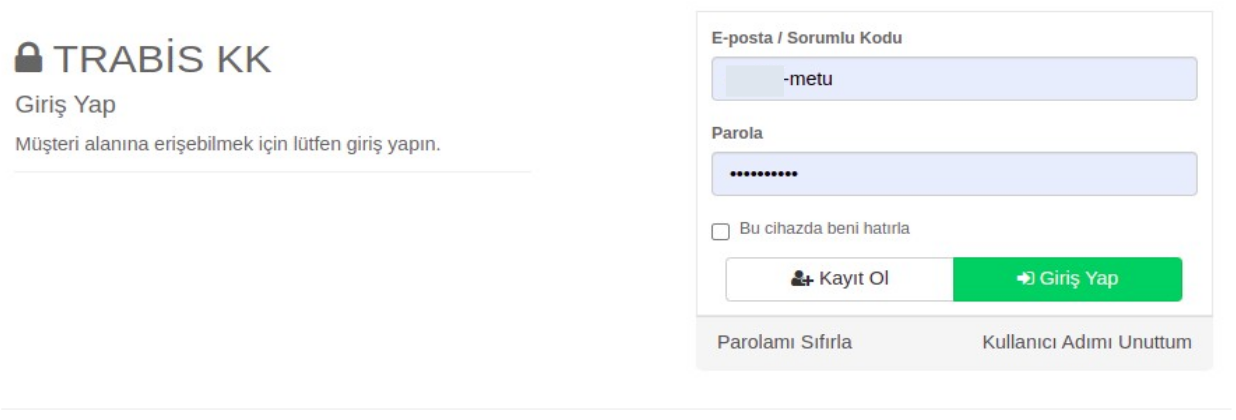
- Log in to the TRABIS Registrar panel at kk.trabis.gov.tr with the responsible code and password you used at Nic.TR.
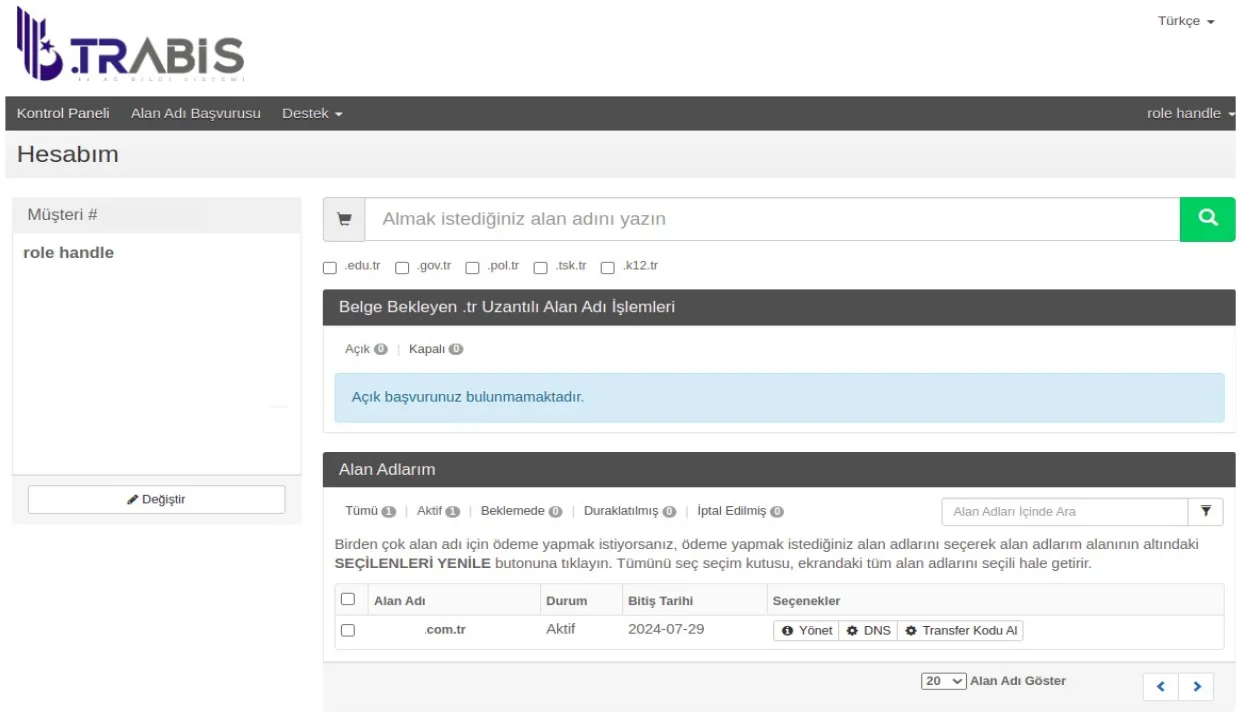
- The screen that opens is your TRABIS Registrar Control Panel. In this panel, you can view your domain names at the TRABIS Registrar under the “My Domain Names” tab.
Removing the Transfer Lock
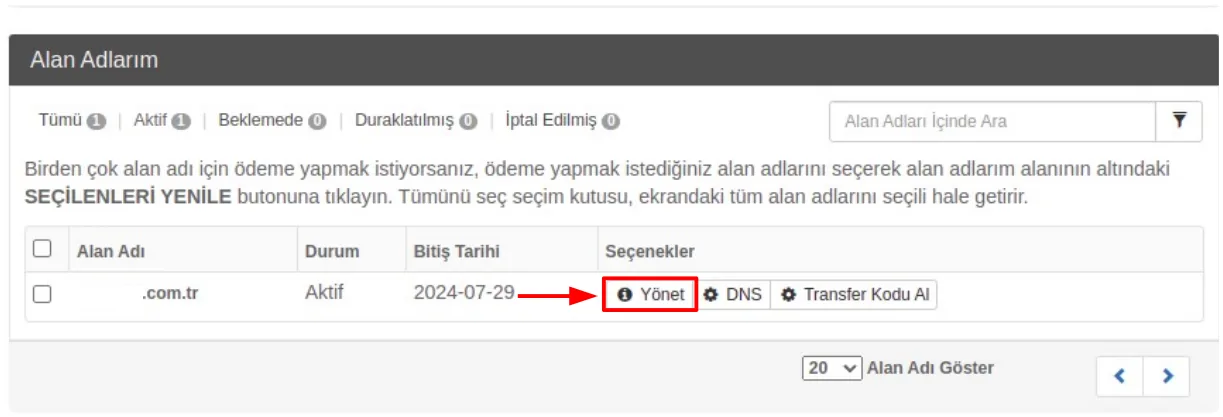
- To check whether the domain name you want to transfer has a Transfer Lock, click the “Manage” button under the Options column on the right.
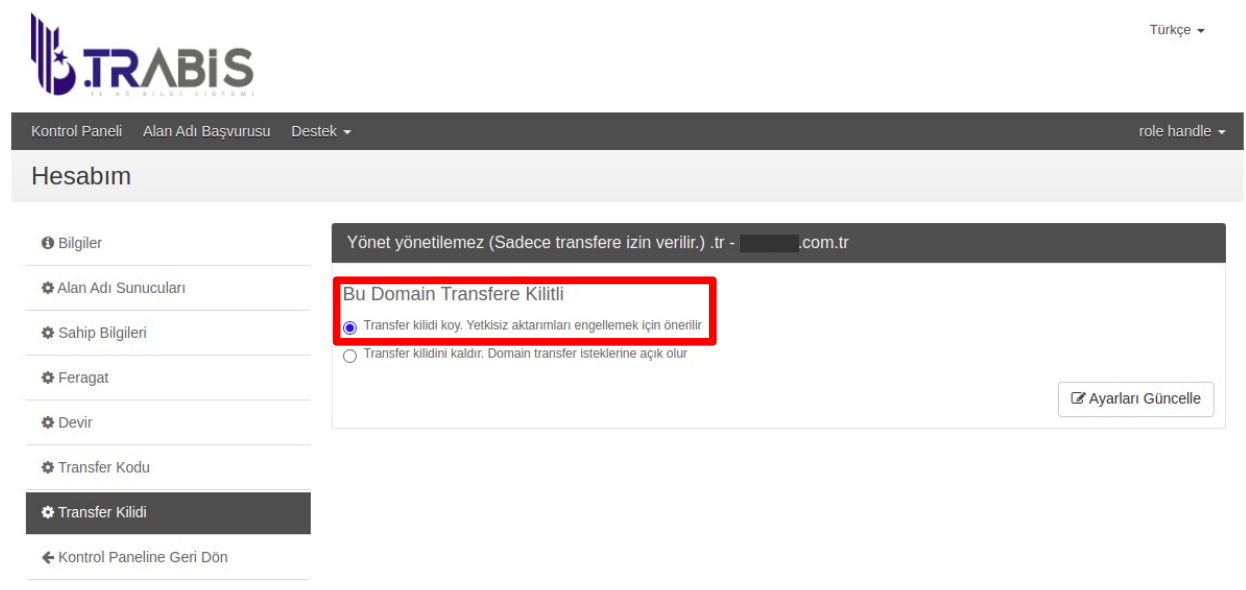
- On the screen that opens, if the “Set transfer lock. Recommended to prevent unauthorized transfers.” option is selected, your domain name has a transfer lock. In this case, you cannot transfer your domain name to a different registrar.
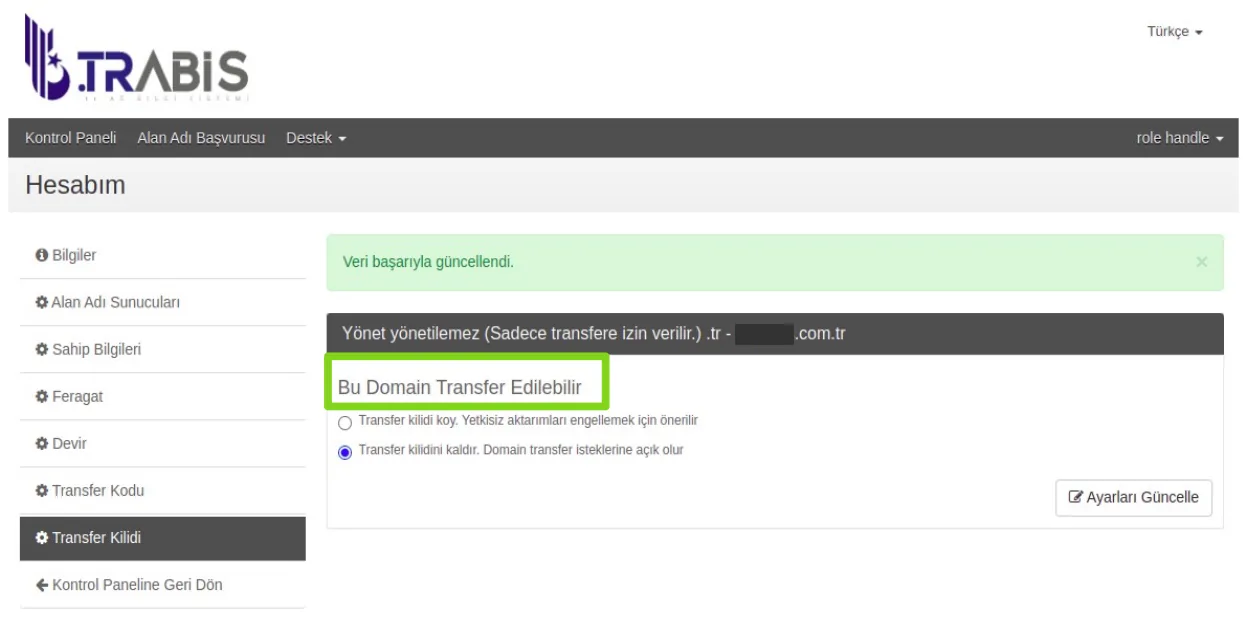
- To remove the transfer lock, select the “Remove transfer lock. Open to domain transfer requests.” option and then click the “Update Settings” button at the bottom right. After you click the Update Settings button, the screen below will appear. This screen means your domain name can be transferred.
Getting the Transfer Code
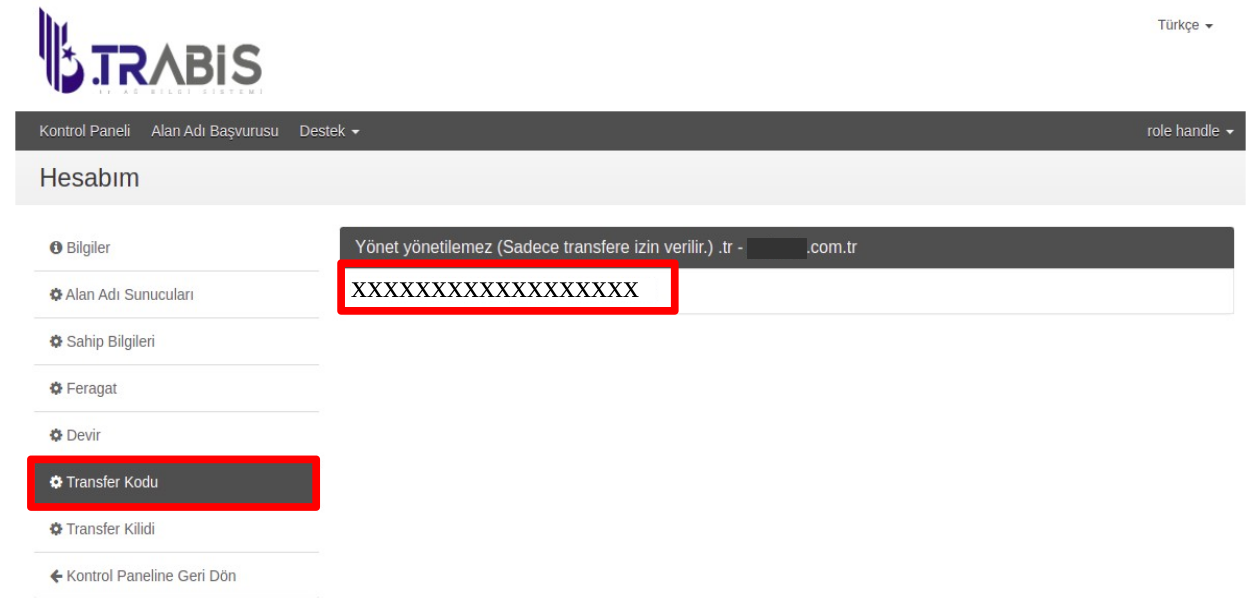
- After removing the transfer lock, click “Transfer Code” on the left to get a transfer code. An alphanumeric transfer code will appear on this screen. Save this code.
Placing the Transfer Order at METUnic
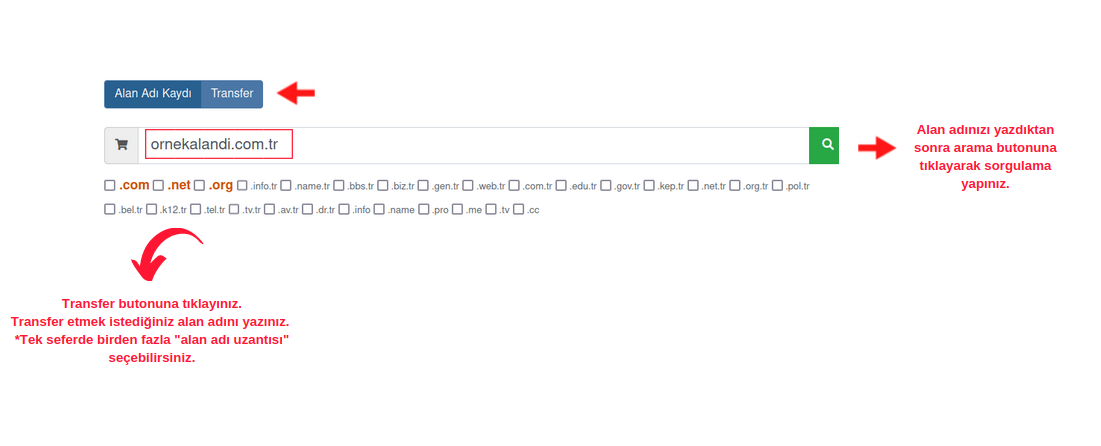
- From here on, you will continue in your METUnic panel. After logging in to your METUnic account with your username (your email address) and password, enter the domain name you want to transfer in the search box in the control panel. Click the “Transfer” button. Then click the search button.
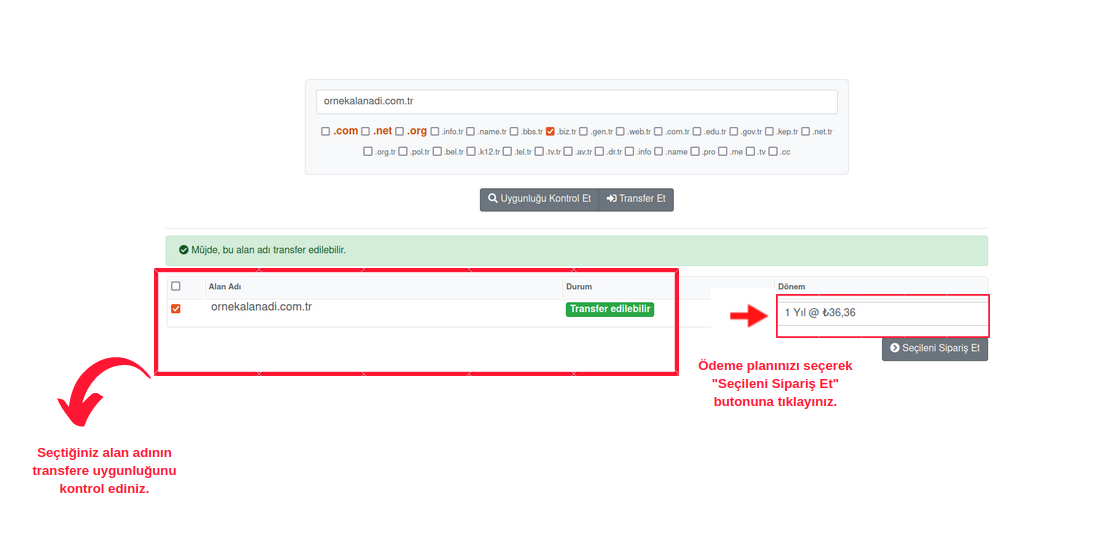
- After selecting the period (e.g. “1 Year”) for your domain name that is eligible for transfer, click the “Order Selected” button to proceed to the configuration section.
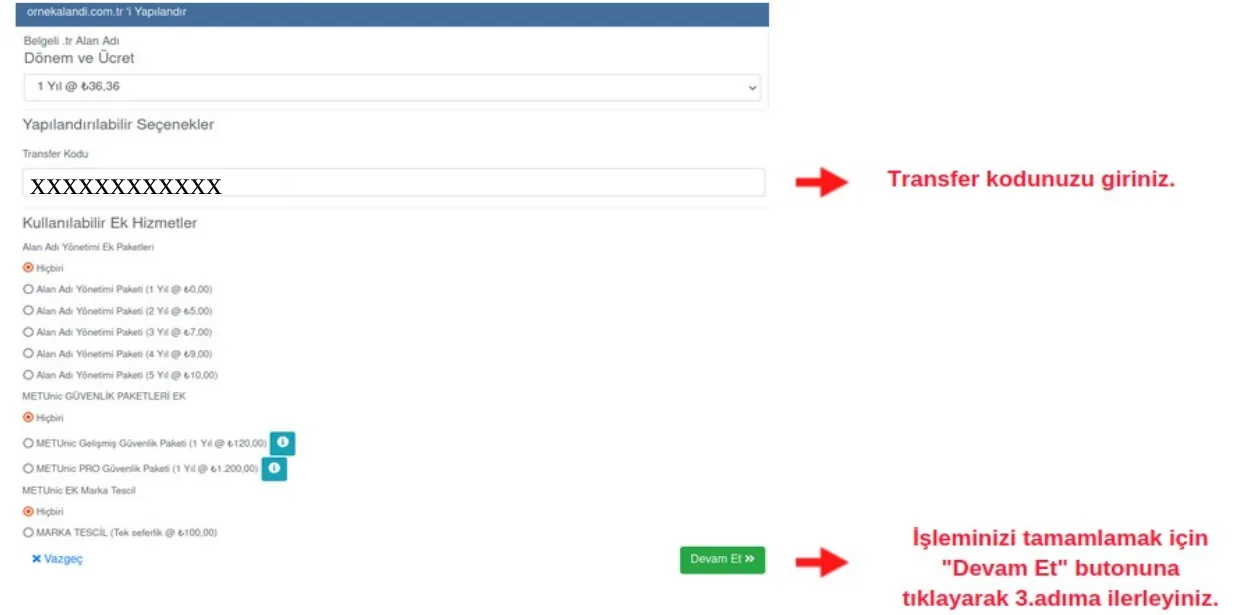
- On the page that opens, under “Configurable Options”, enter the Transfer Code you obtained from the TRABIS Registrar control panel in the relevant field on the page.
Payment and Completing the Transfer
- By clicking the “Continue” button, you can proceed to the screen where you can review your order. If you want to add to your order, you can click the “Continue Shopping” button at the bottom right of the page. After making the necessary changes, you can click the “Go to Payment” button to proceed to the payment screen.

- In this section, select either “Credit Card” or “Use Credit”. Tick the “I have read and accept the Domain Name Service Agreement.” box and click the “Confirm Order” button.

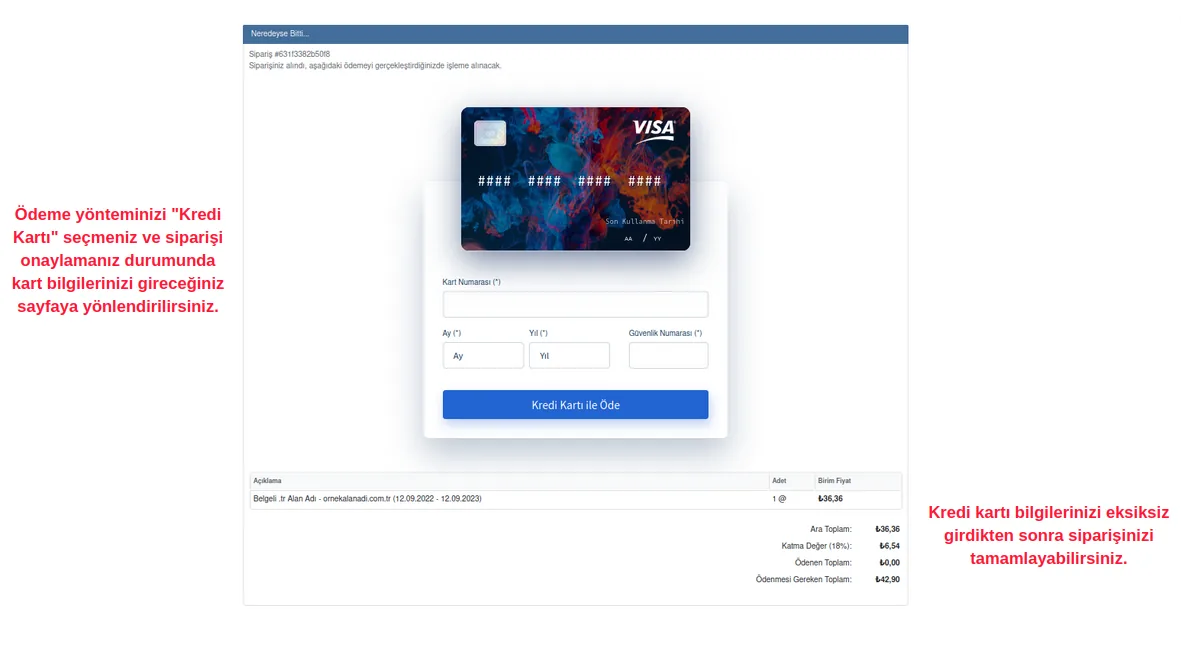
- If you selected payment by Credit Card, fill in the required information on the page that opens and click the “Pay” button.
- You can see the domain name for which you started the transfer by making the payment under your domain names in the “Pending” section. If you do not approve the transfer from the TRABIS Registrar panel, the transfer will be approved automatically within 24 hours and your domain name will become active in your panel.
Was this article helpful?
Thank you for your feedback.
Still stuck? Our support team is here to help. Tell us your question and our experts will help you.