Contents
You can place your order for a .com domain name quickly and easily from METUnic. In this blog post, you will find a simple step-by-step explanation of the question "how should I get a .com domain name".
To do so, you first need to log in to your user account.
Checking Domain Name Availability
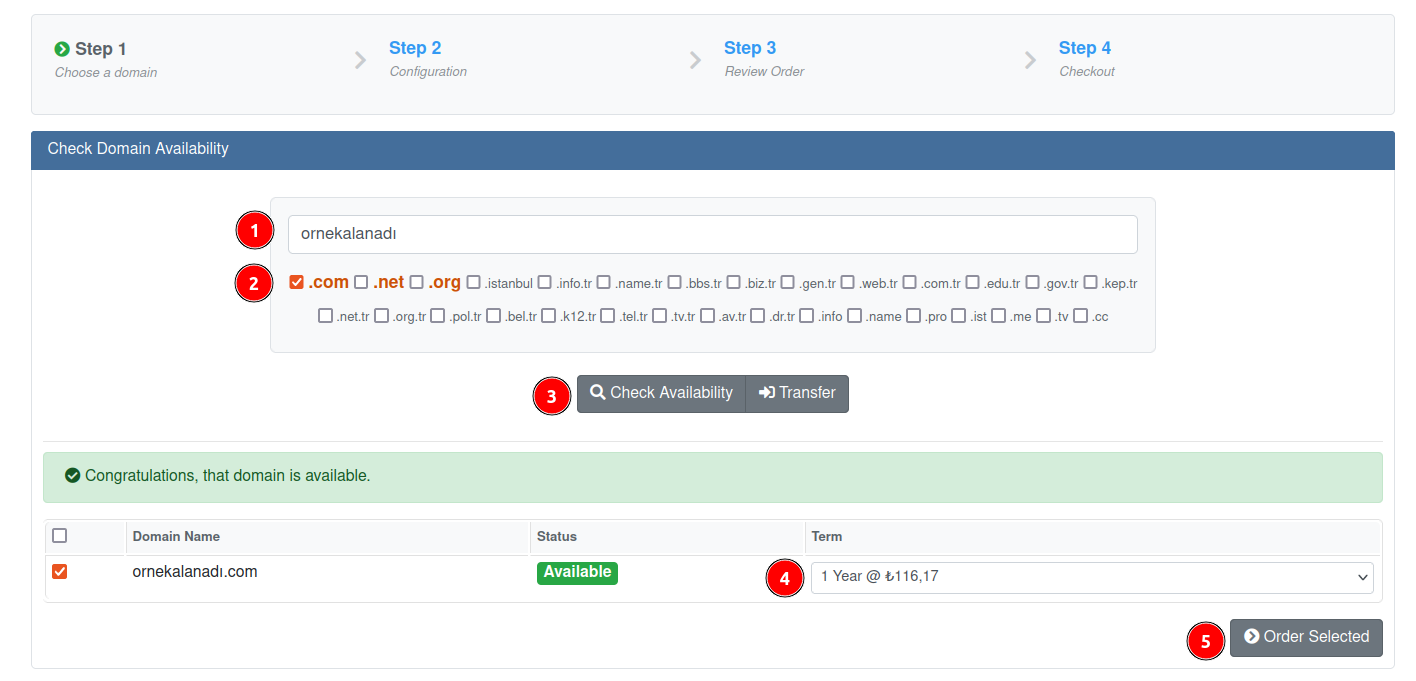
- Click the "Place Order" tab.
- Check the availability of the domain name you want to purchase using the search engine.
Configuring the Order
- If the domain name you want is available, set up your payment plan of 1 to 10 years, click the "Order Selected" button and proceed to step 2.
- In step 2, under the "Configurable Options" heading, make the user selections in the "Owner, Technical, Admin" sections. You can make a selection by creating a different sub-user for each section. Detailed information on how to create a sub-user is given further down in this post. After the domain name order, you can set its privacy from the "Settings" section if you wish.
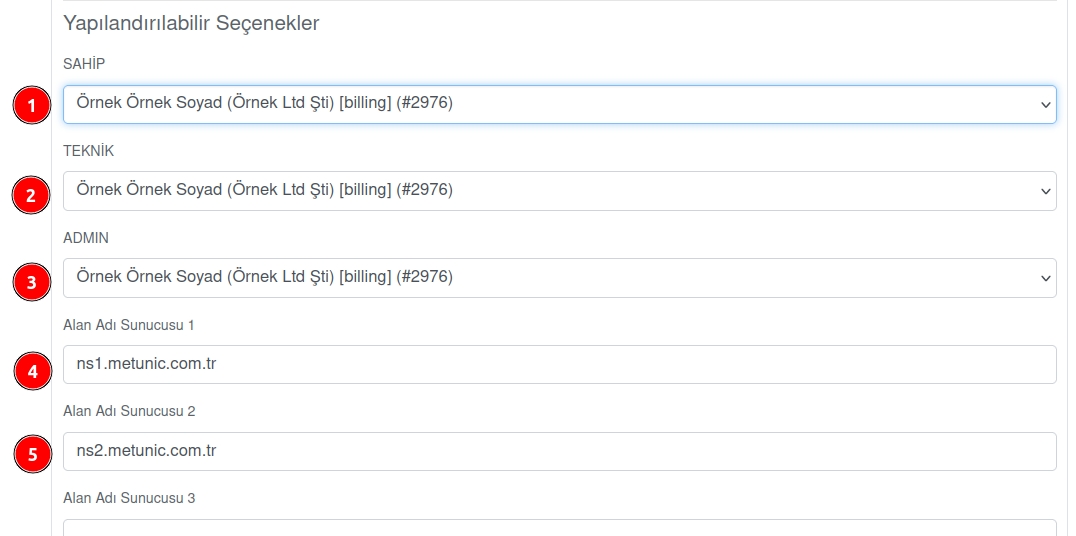
- The nameserver fields come pre-filled with METUnic nameservers. You can change the relevant fields by entering different nameservers, or continue with the METUnic nameservers.
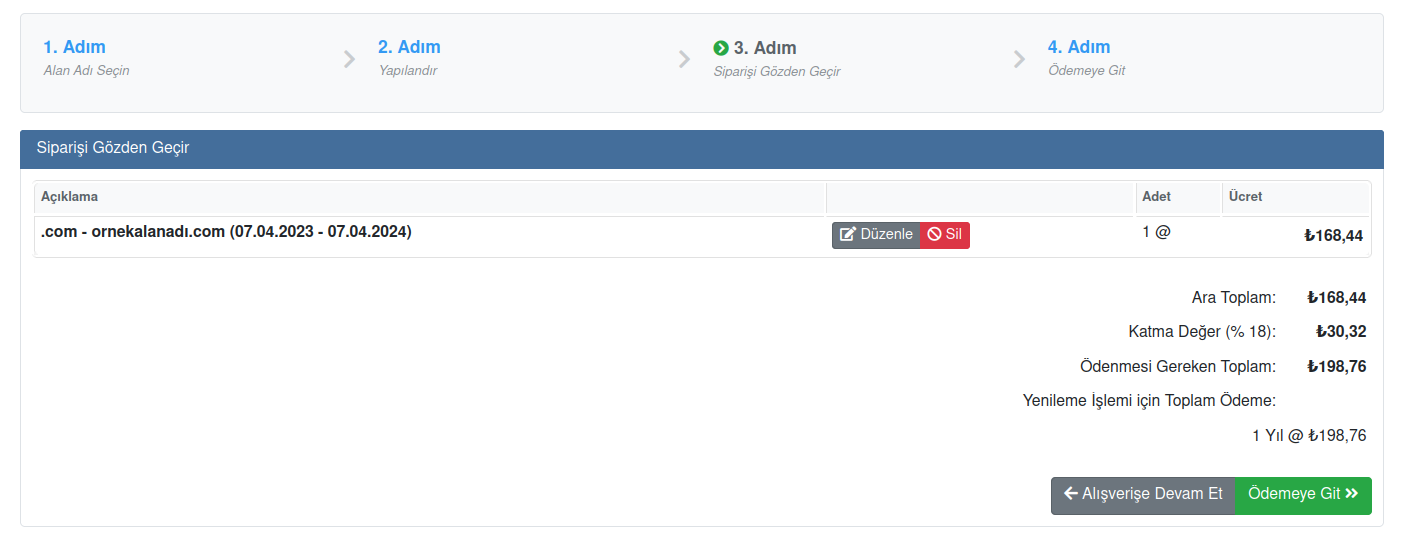
- Without making a selection in the "Available Add-ons" section, click the "Continue" button and proceed to the "Review Order" section, which is step 3. You can check everything and use the "Edit" button to re-edit anything you consider necessary.
Payment and Completing the Order
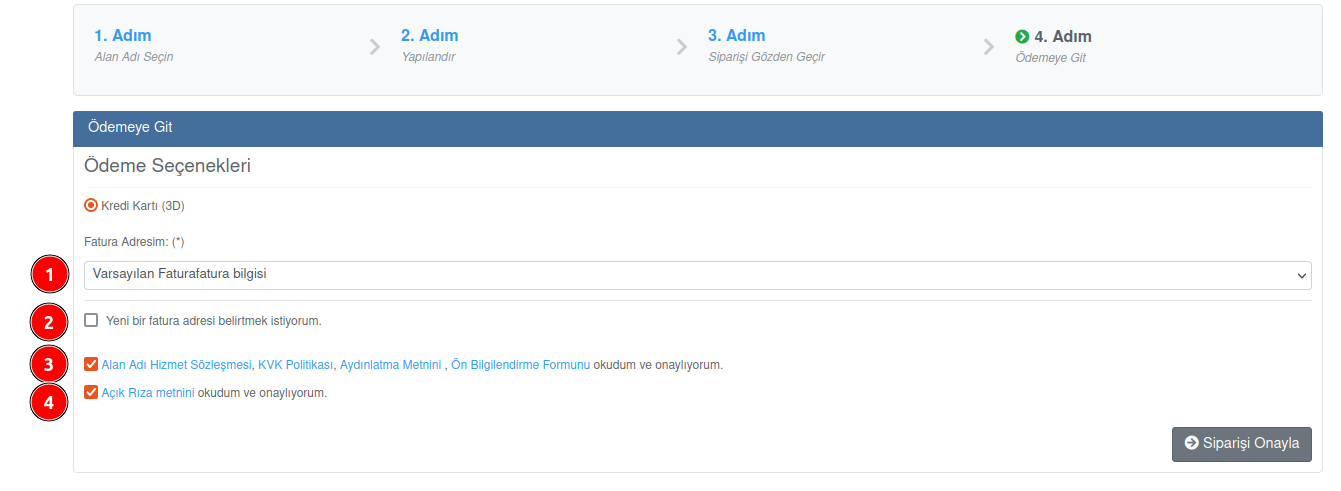
- Click the "Go to Payment" button, and in step 4, the final step, you need to select your billing address, or you can create a new billing address by clicking the "I want to specify a new billing address." checkbox.
- After ticking the boxes for the Explicit Consent text and the Agreement approvals, you will be redirected, with the "Confirm Order" button, to the page where you will enter your credit card details.
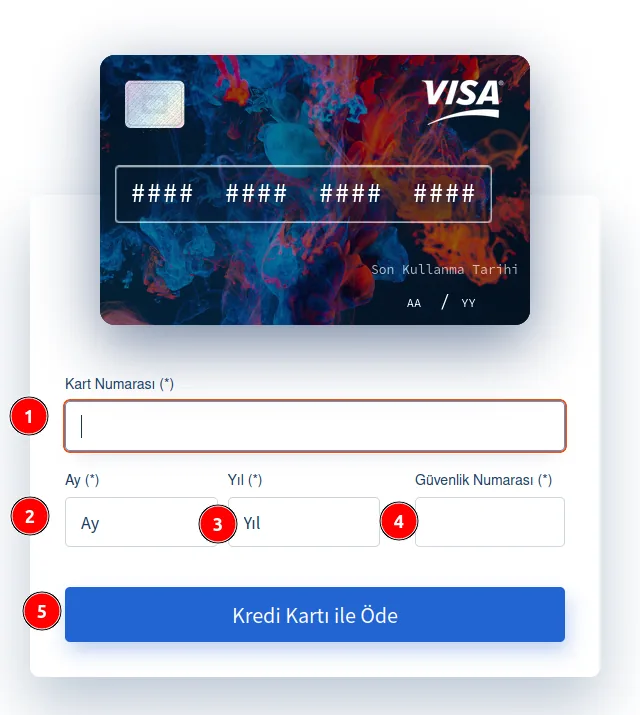
- Make sure you enter your card details correctly and completely, and you can complete your order using the "Pay by Credit Card" button.
How to Create a Sub-User for a .com Order?
After logging in to your control panel, open the "Sub-Users" tab. On the page that opens, click the "Add Sub-User" button on the left. This section is where you register your individual or organization information according to the owner type, that is, the purposes of the domain name you want to get. The form must be filled in correctly and completely with the domain name owner's details. You can follow the numbered order in the image.

Was this article helpful?
Thank you for your feedback.
Still stuck? Our support team is here to help. Tell us your question and our experts will help you.