Security Packages can be added to a currently active domain name by following the steps below.
Selecting the Security Package
- Select the "Domain Name" heading.
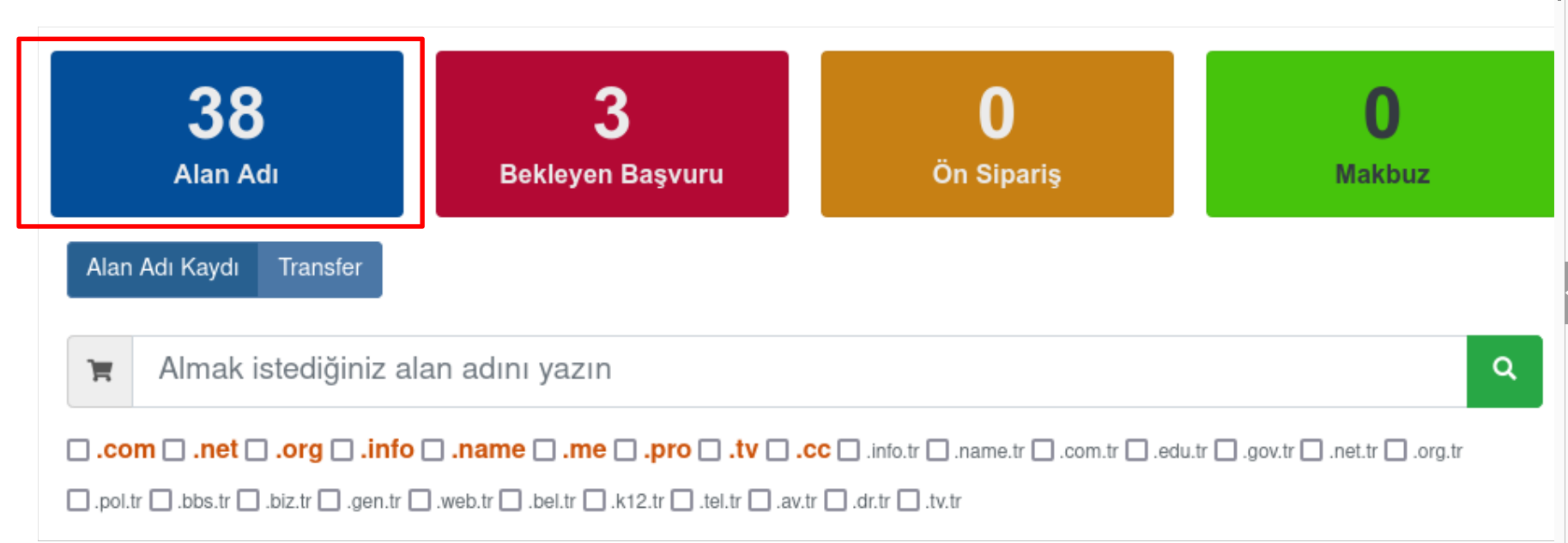
- From "My Domain Names", click the "Info" button next to the domain name to which the security package will be added.

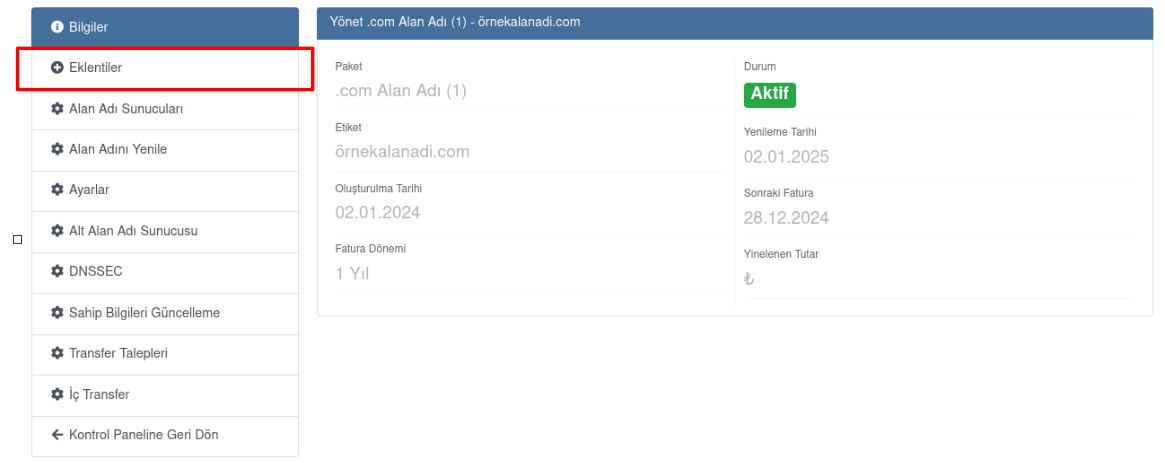
- Continue with the "Add-ons" option.
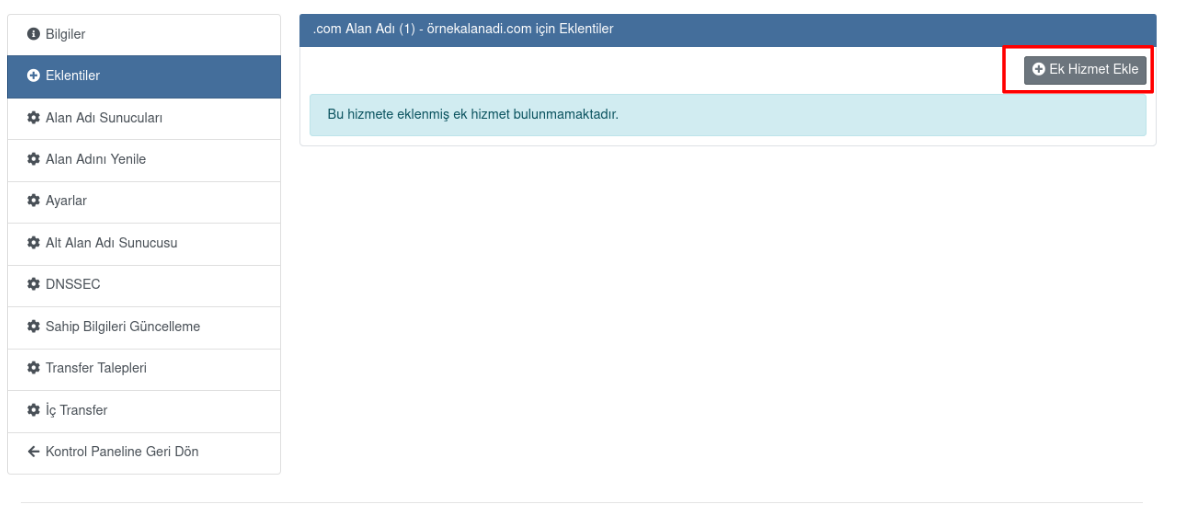
- Click the "Add Additional Service" button.
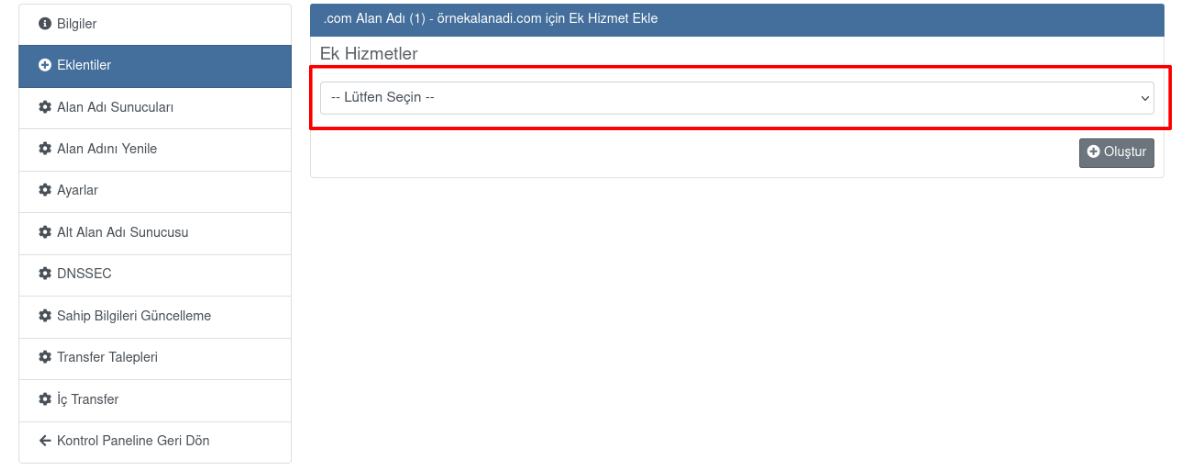
- Click "Please Select" and choose the Security package you want to add.
Verifying Your Phone Number
- If there is a verified phone number, select the phone number by clicking the relevant row.

- From the verified phone numbers, select the relevant phone number and click the "Create" button.
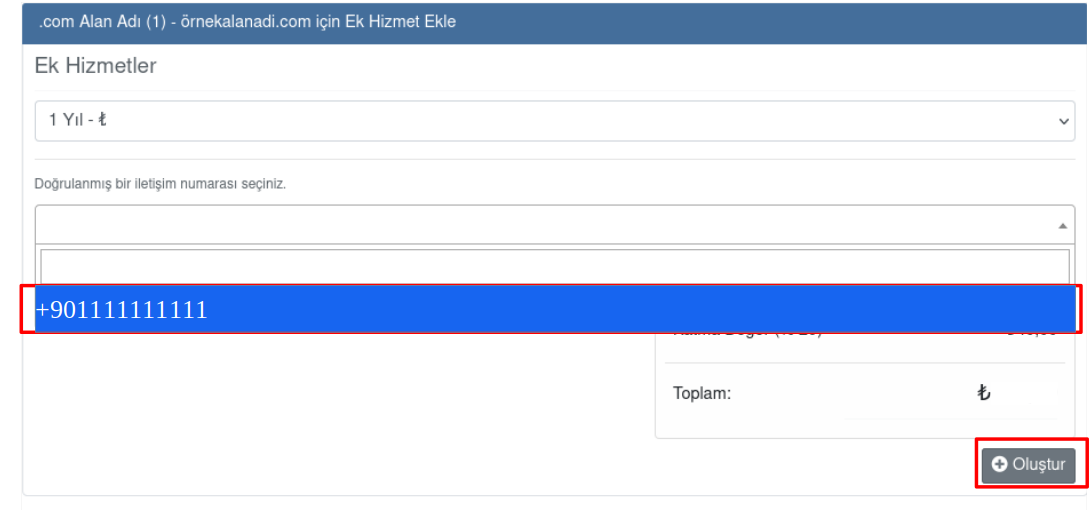
- If there is no verified phone number, "Click to verify a phone number."
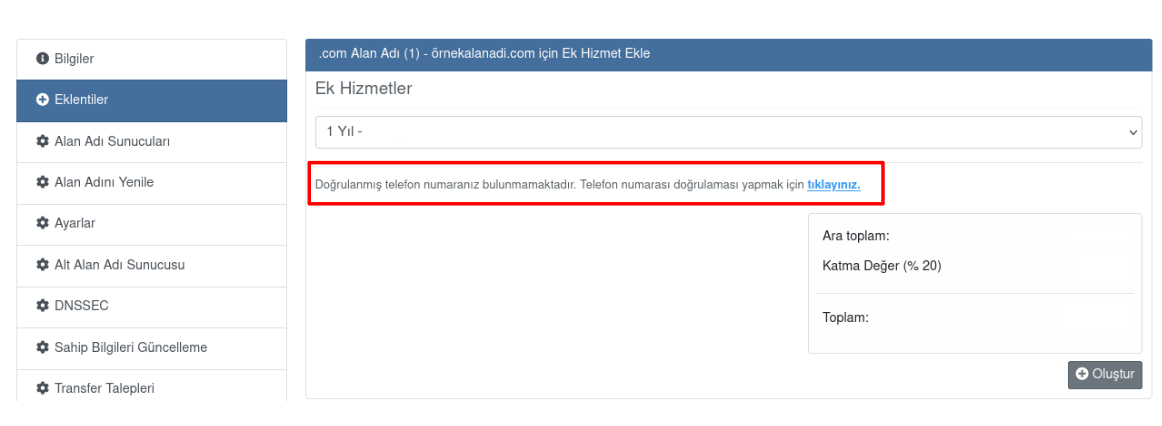
- If there is no registered phone number, click the "Add and verify a new mobile phone number" button.
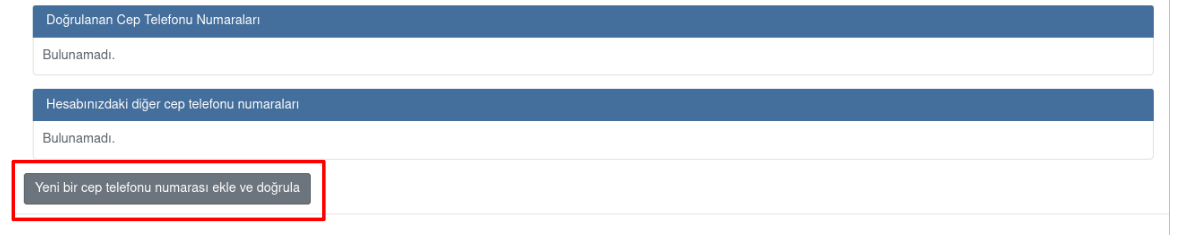
- Enter the mobile phone number in the relevant row and click the "Save & Send Verification Code" button.

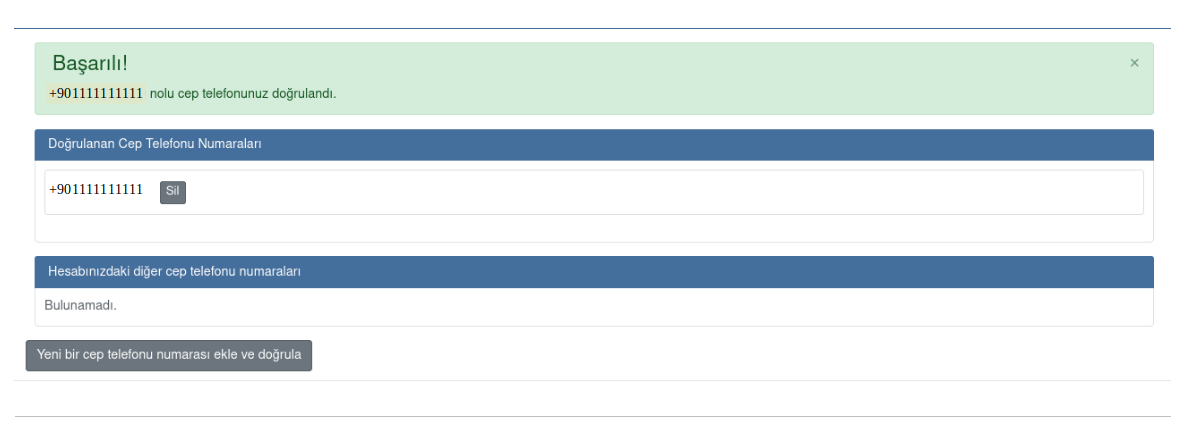
- Enter the 6-digit verification code sent to your mobile phone by SMS in the relevant row and click the "Verify Your Number" button.

- After this step, the phone verification will be complete.
Payment and Package Activation
- From the payment options, select either "Credit Card" or "Use Credit" and click the "Review and Confirm" button.
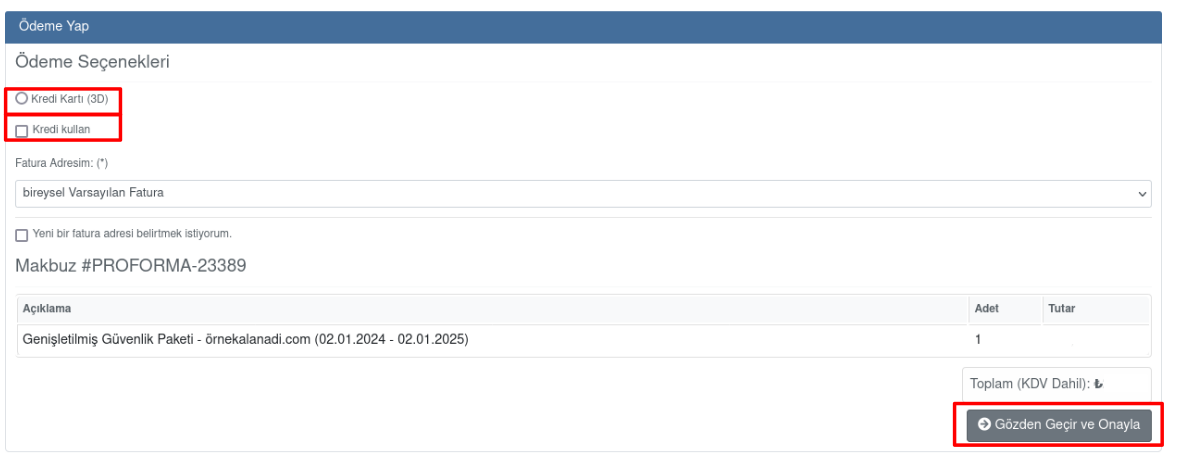
- Credit card (3D): Enter your card details and click the "Pay with Credit Card" button, or Use Credit: "Use Credit and Continue" button.

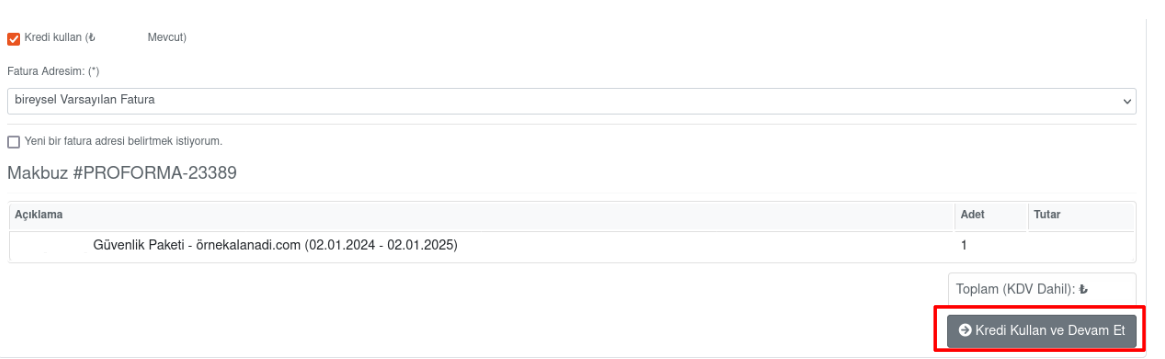
- After this step, the relevant security package will be active within approximately 10 minutes.

Was this article helpful?
Thank you for your feedback.
Still stuck? Our support team is here to help. Tell us your question and our experts will help you.