You can connect the email service of your domain name to your device and manage it from your phone. In this post, we explain step by step how to connect your phone to your Business Email account.
1. Go to the Setup Page
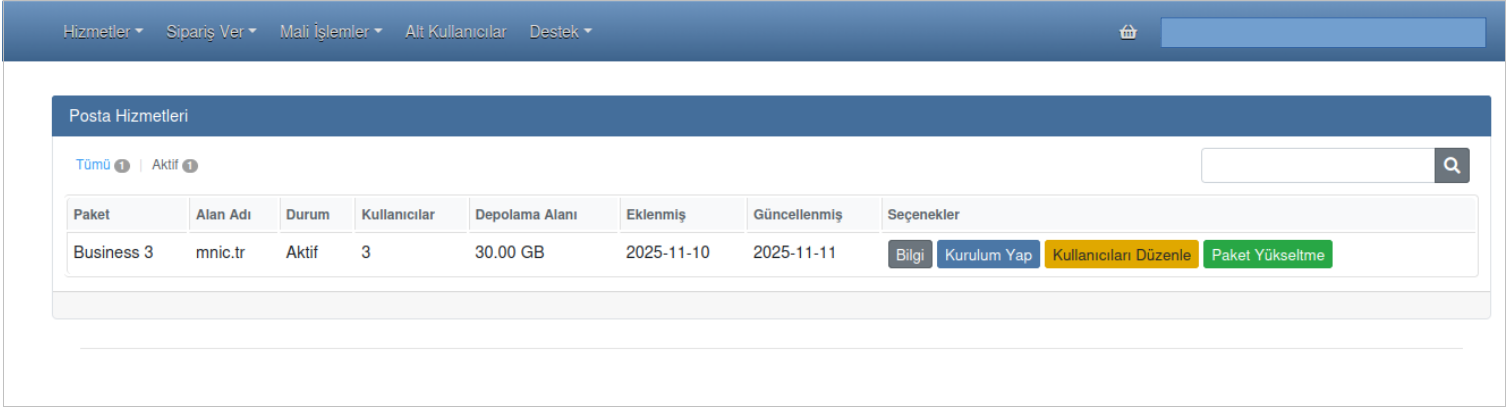
First, after logging in to your METUnic control panel, go to the “Services → Mail Services” section in the top menu. Here, find your domain name that has the email service active and click the “Edit Users” button on its right.
2. Log In to Webmail
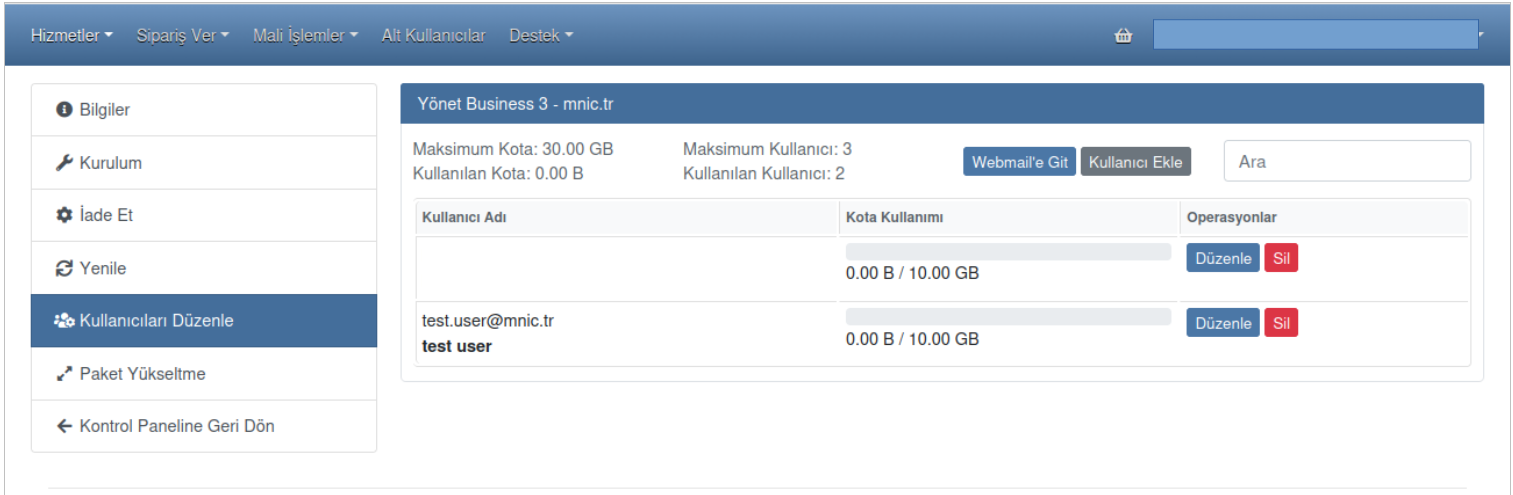
After clicking the “Edit Users” button, click the “Go to Webmail” button on the screen that opens to open the Business Email application in your browser.
3. Connect Your Device
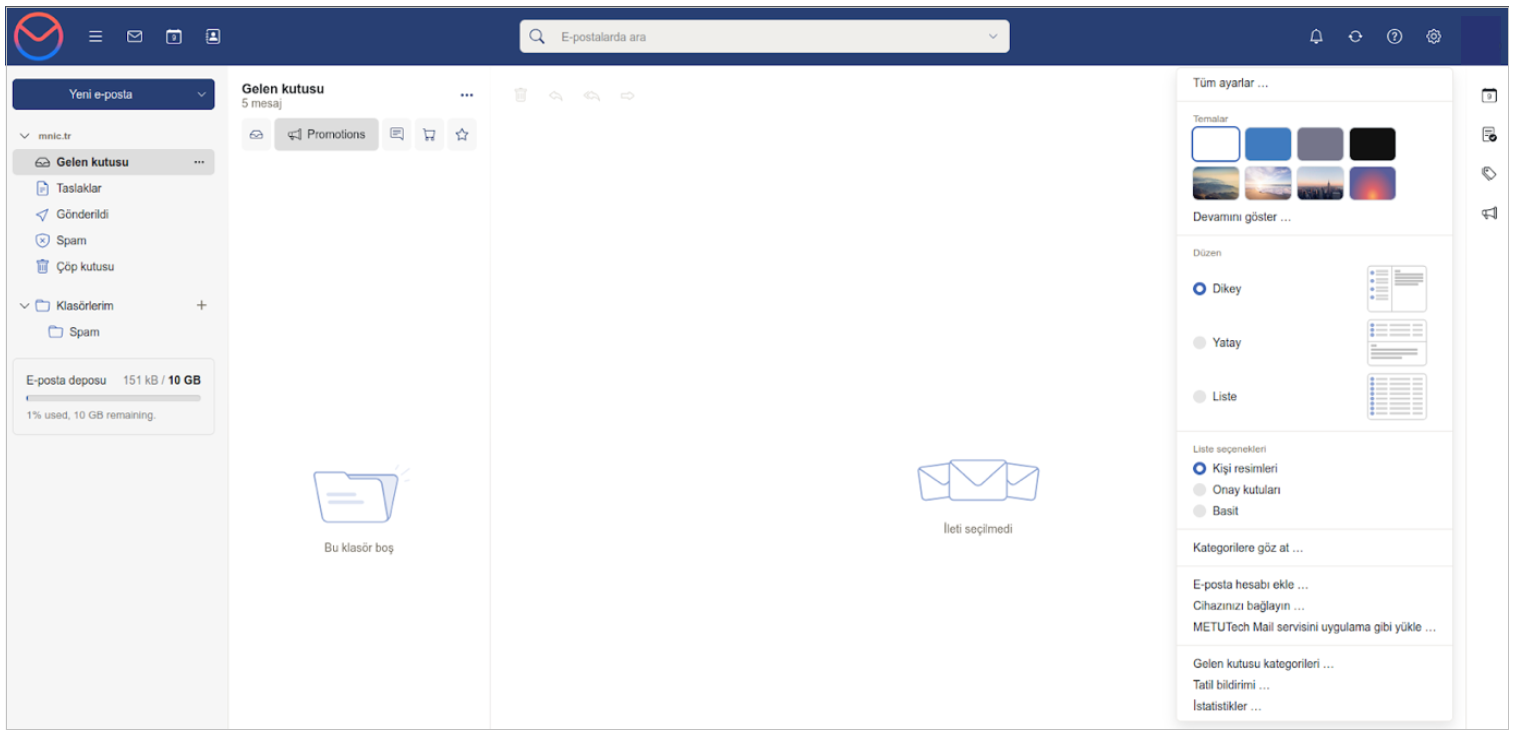
Once the Business Email page opens in your browser, click the “Settings” icon in the top right corner. After the Settings menu opens, click the “Connect Your Device” button.
After you click the “Connect Your Device” button, a QR code will appear on the screen so you can complete the process. While the QR code is valid, scan it with your phone's camera.
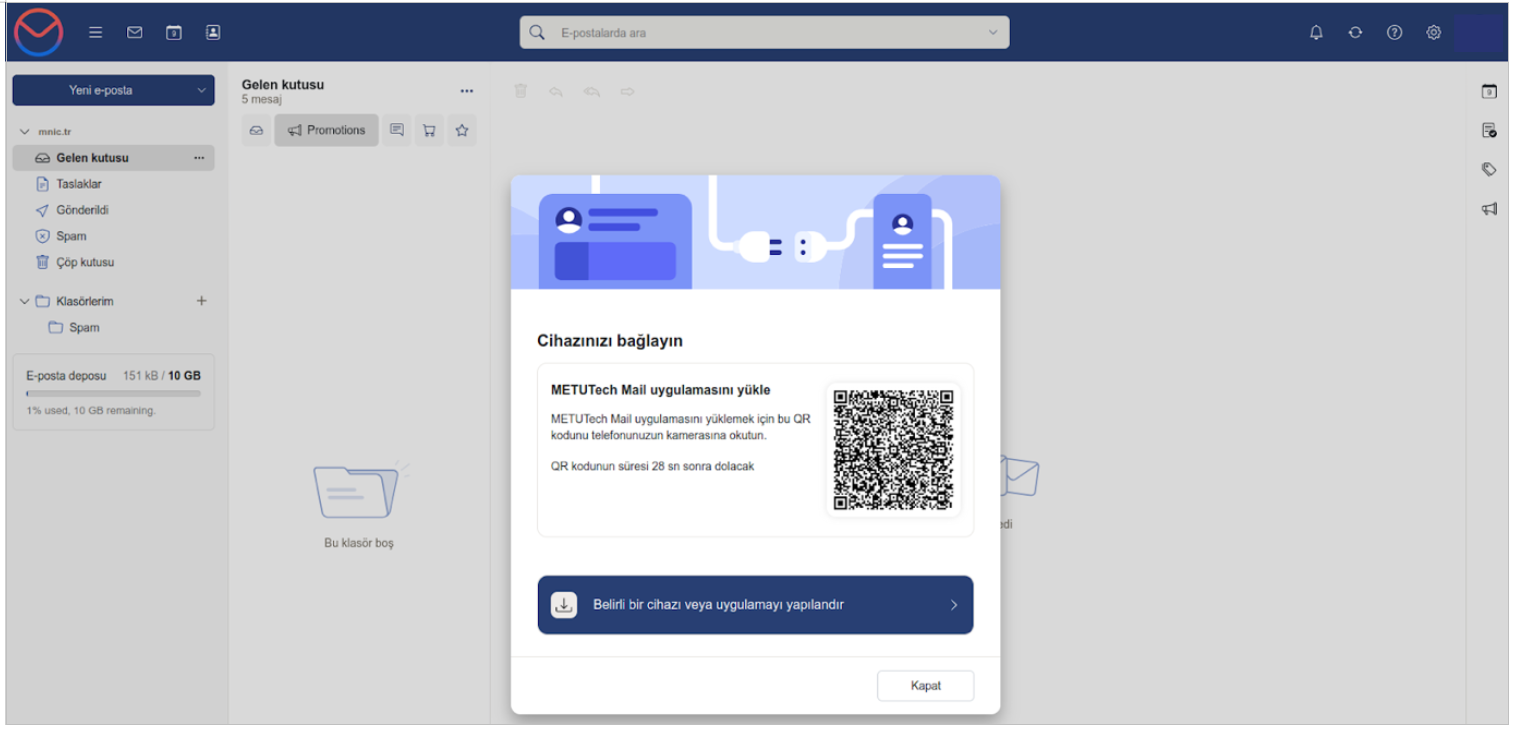
When the “Install the Business Email app” screen opens, click the “Install” button.
For iOS, tap the Share icon and follow the Add to Home Screen – Add steps to complete the setup.
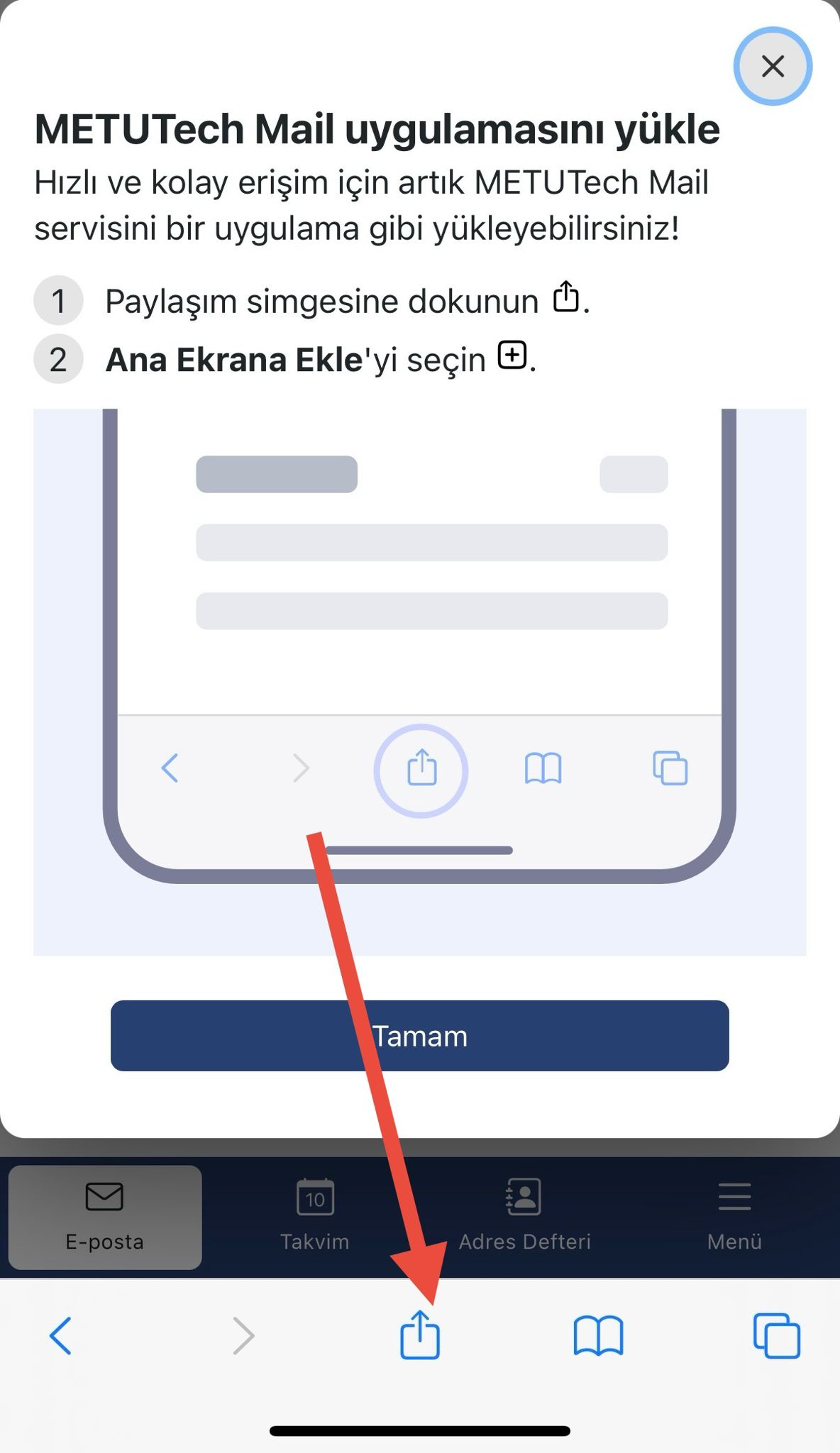
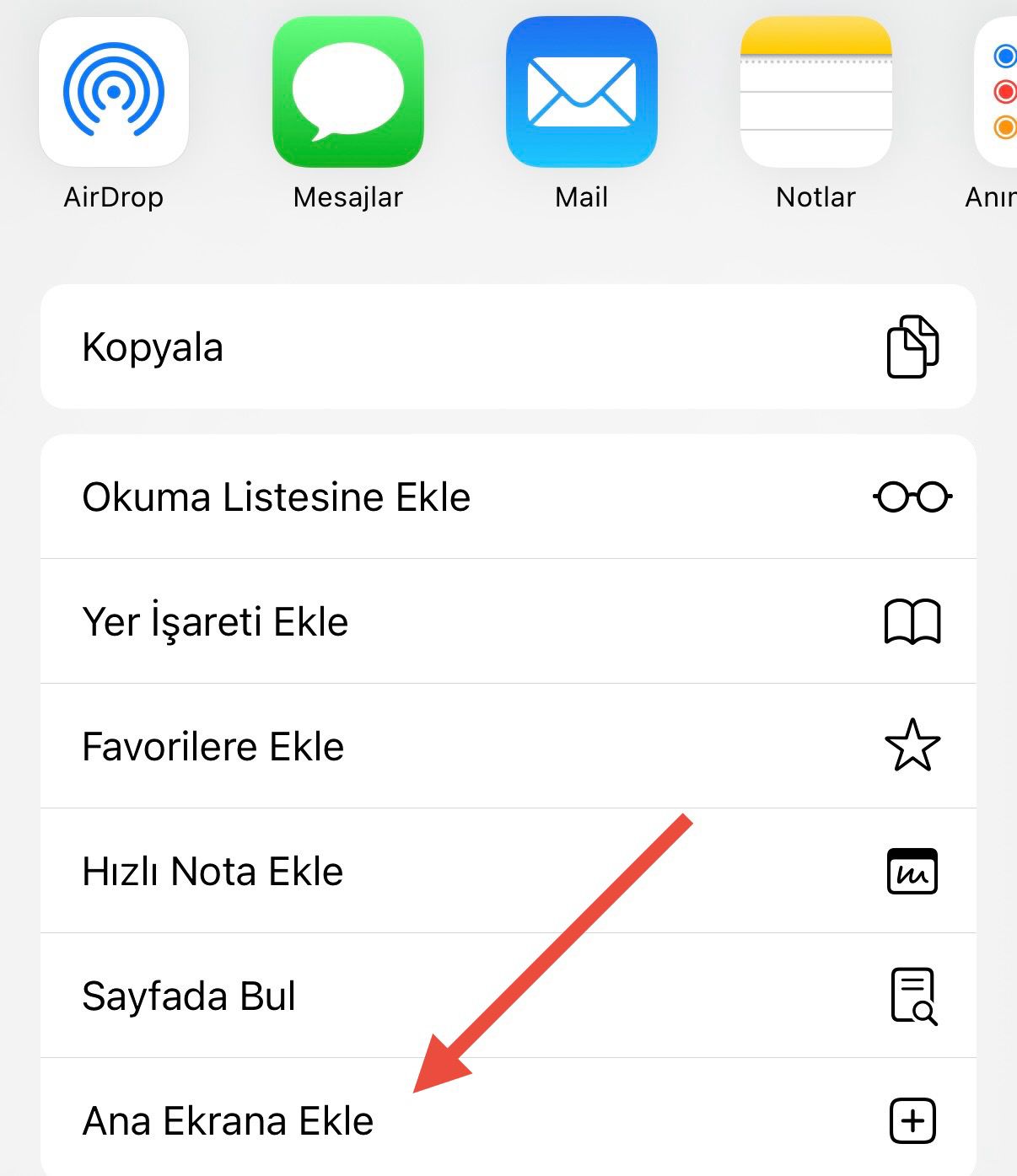
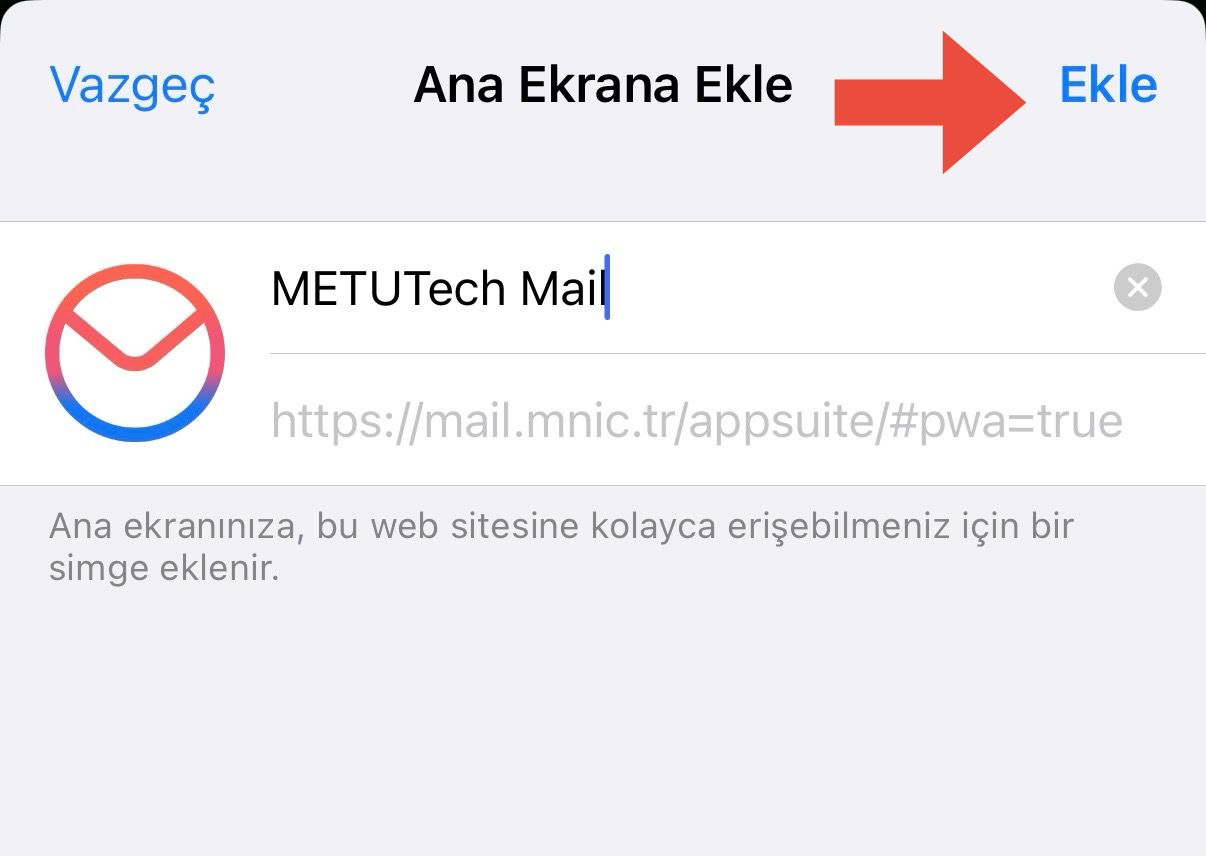
As a result of these steps, you can connect your phone to your email account and easily manage your incoming and outgoing emails.
Was this article helpful?
Thank you for your feedback.
Still stuck? Our support team is here to help. Tell us your question and our experts will help you.