Contents
Turkcell’s free email service YaaniMail is closing on 31 October 2026. In this post, we explain step by step what is happening, what awaits you, and how you can move your emails without losing them.
What is happening?
Turkcell has notified its users by official email that it will completely shut down YaaniMail (yaani.com), its free email service for individual users, as of 31 October 2026. After this date, it will not be possible to access YaaniMail accounts.
An important detail: YaaniMail was not exclusive to Turkcell line holders — it was a free individual email service open to subscribers of all operators. For this reason, the closure affects a wide user base at the same time.
In short: After 31 October 2026, your YaaniMail address (@yaani.com) will stop working. You need to move the emails, contacts and files in your inbox somewhere beforehand.
Why should you act now?
- Risk of data loss — Because access to your account will close after the closure date, if you do not export or move your data beforehand, you may never be able to reach your emails and attachments again.
- Notifications and accounts — Many of your accounts, such as banking, social media and bills, are probably linked to this address; you will need to update these links before the address changes.
- Last-week rush — A serious increase in support requests is expected in the weeks close to the closure; moving early spares you this rush.
Why should you switch to METUnic?
The shortcoming of YaaniMail most often voiced by users was the lack of a customer service line reachable by phone or email, with only an in-app support form available. At METUnic, this experience is different:
- Automatic migration: Your emails, folder structure and read/unread status are transferred automatically through the Audriga infrastructure — no manual download/upload is needed.
- More storage: Up to 50 GB of storage per user, depending on your package.
- Real support: A support team you can reach by phone and email.
How does the migration work?
The email migration is carried out through the Audriga infrastructure, a reliable service used for data transfer between systems, with end-to-end SSL/TLS encryption.
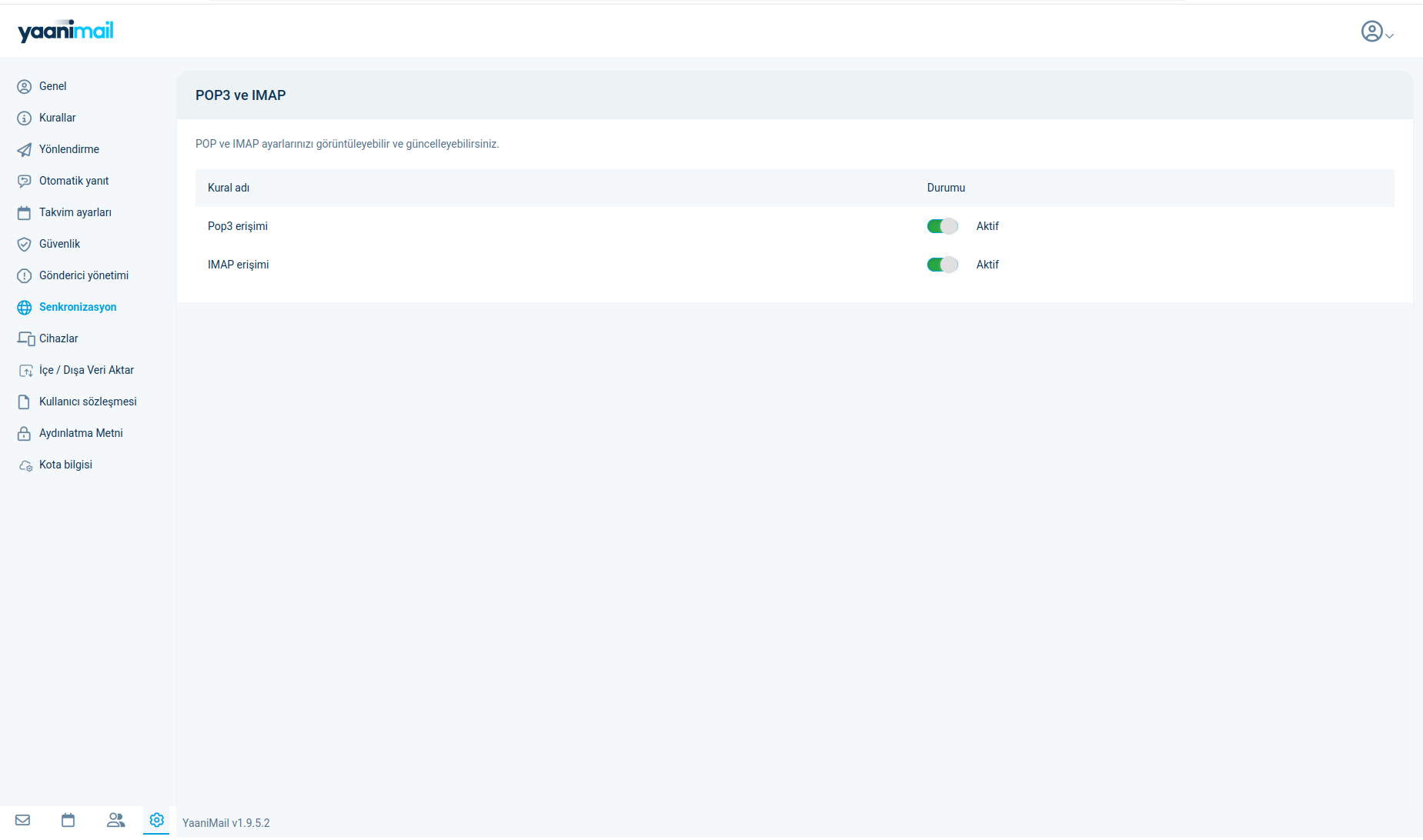
- In your Yaani account, enable IMAP and POP3 access under Settings > Synchronization, and confirm that your customer email and password are correct.
- Make sure your Business Email account is active.
- Log in to the Audriga migration page and enter your source (Yaani) and target (Business Email) account details; the connection is verified automatically.
- Start the migration with “Start migration” — at every stage of the process (started, in progress, completed) you receive a notification email, and you can follow the progress on screen.
- After pointing your MX records to the new system, run the optional “Delta migration” step so that you do not miss the last emails that arrive while the migration is in progress.
Know what is migrated: In this process, your emails, folder structure and read/unread status are migrated. Your contact list and calendar are not migrated in this process — you need to export/import them separately.
Step by step with screenshots
(For each of the 10 steps below, you need to upload the relevant screenshot to the Media Library and add it below/above the text — local file paths are not carried over to WordPress.)
- In your YaaniMail account, open Settings > Synchronization and set POP3 and IMAP access to “Active”.
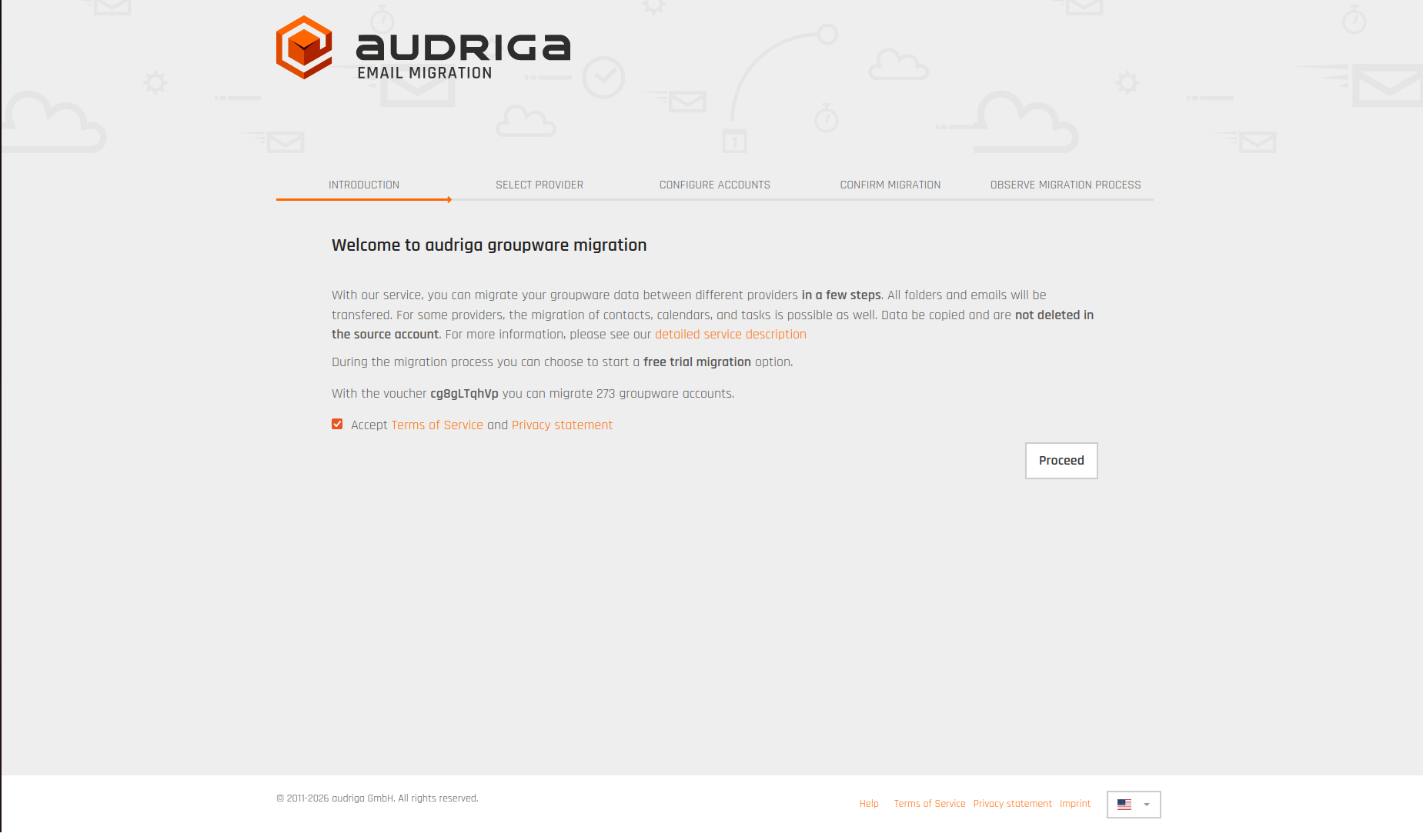
- Go to the Audriga migration page, accept the terms of service (Terms of Service, Privacy Statement) and continue with “Proceed”.
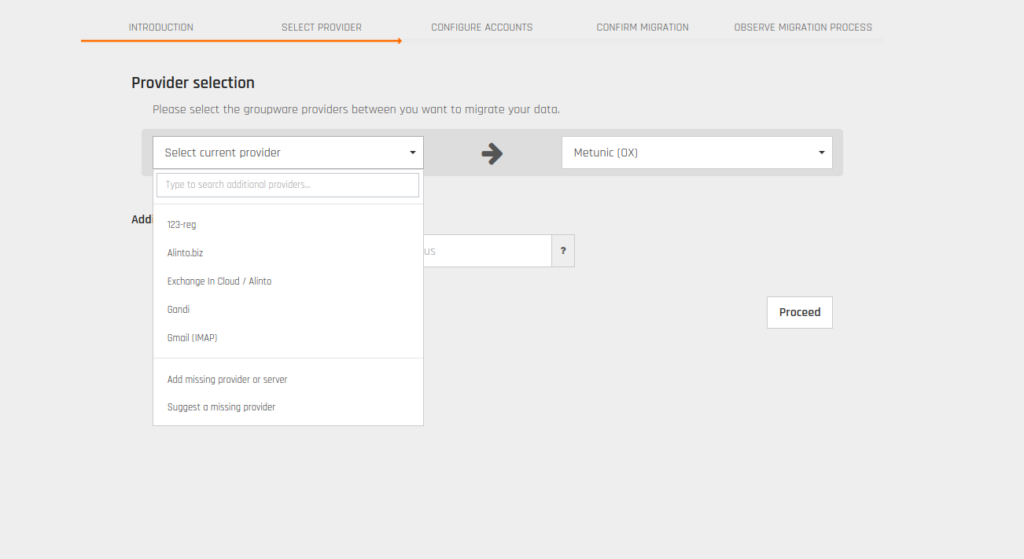
- From the “Select current provider” list, choose the “Add missing provider or server” option.
- On the screen that opens, type imap.yaanimail.com, verify with “Check”, then click the “Save” button.
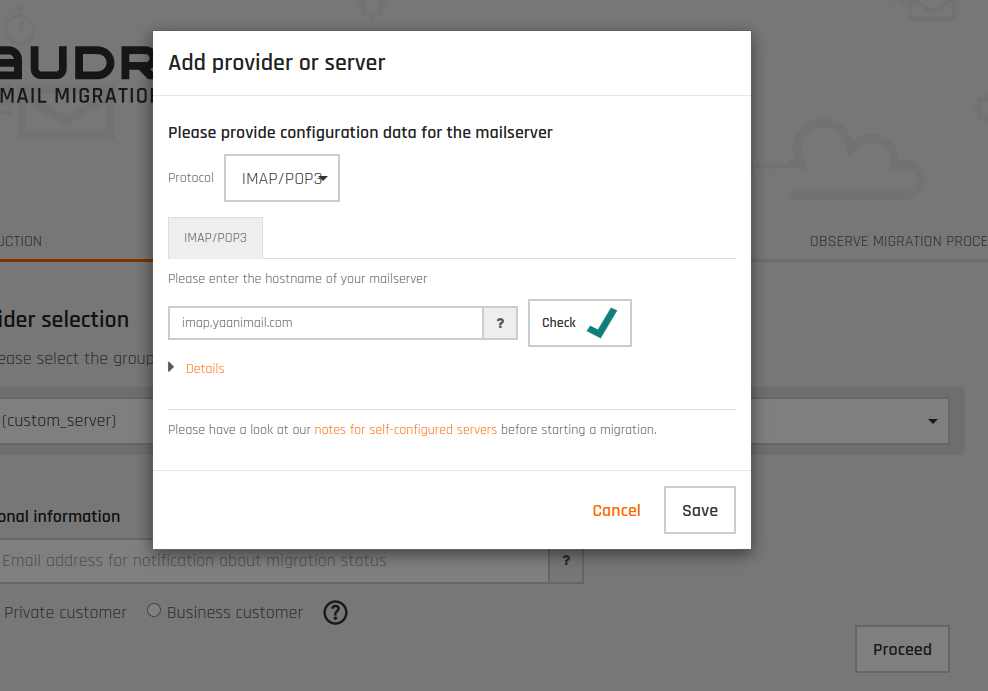
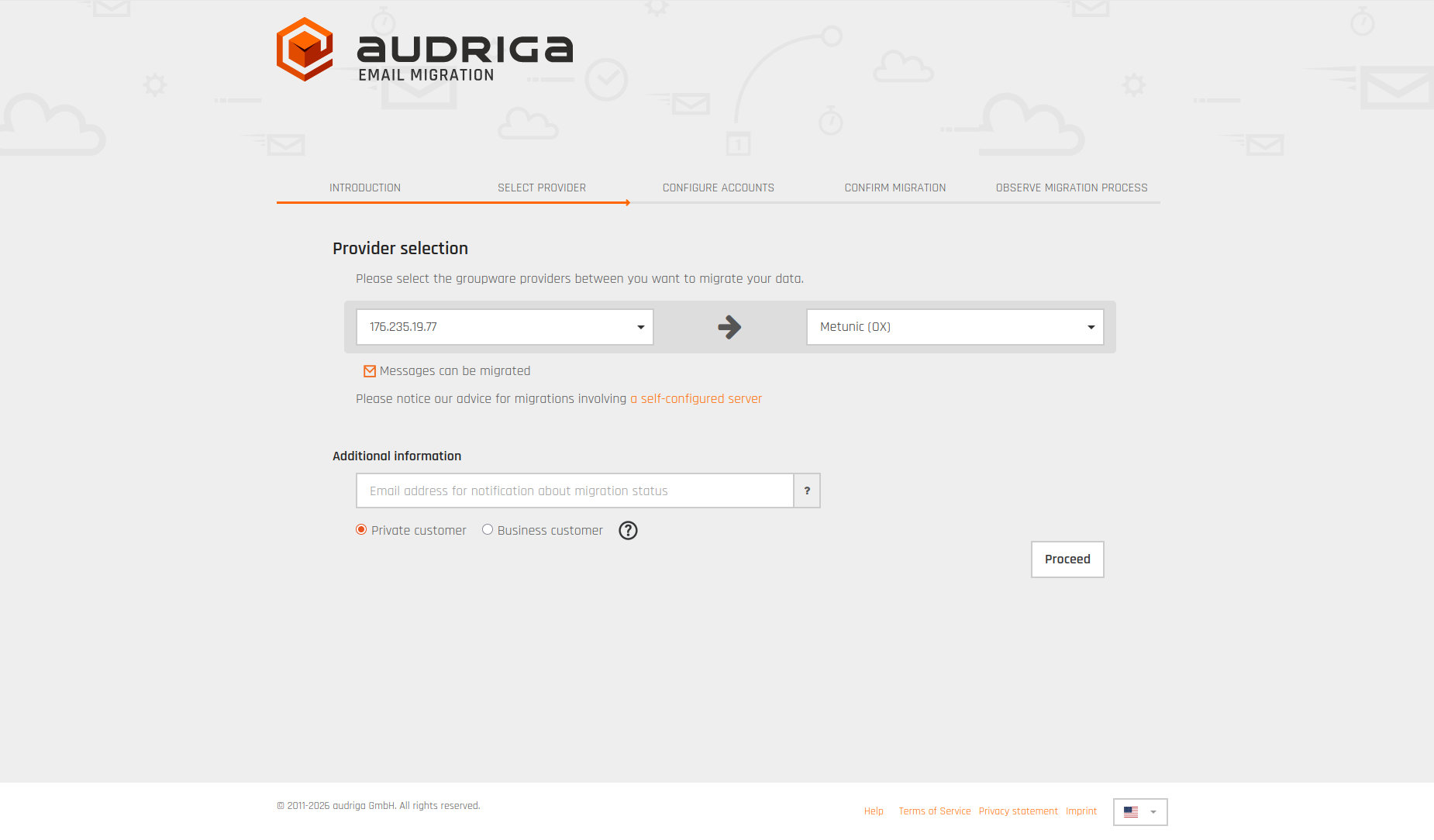
- The target system is selected automatically as “Metunic (OX)”. Enter the alternative email address at which you want to receive notifications, select your account type (Private/Business) and click “Proceed”.
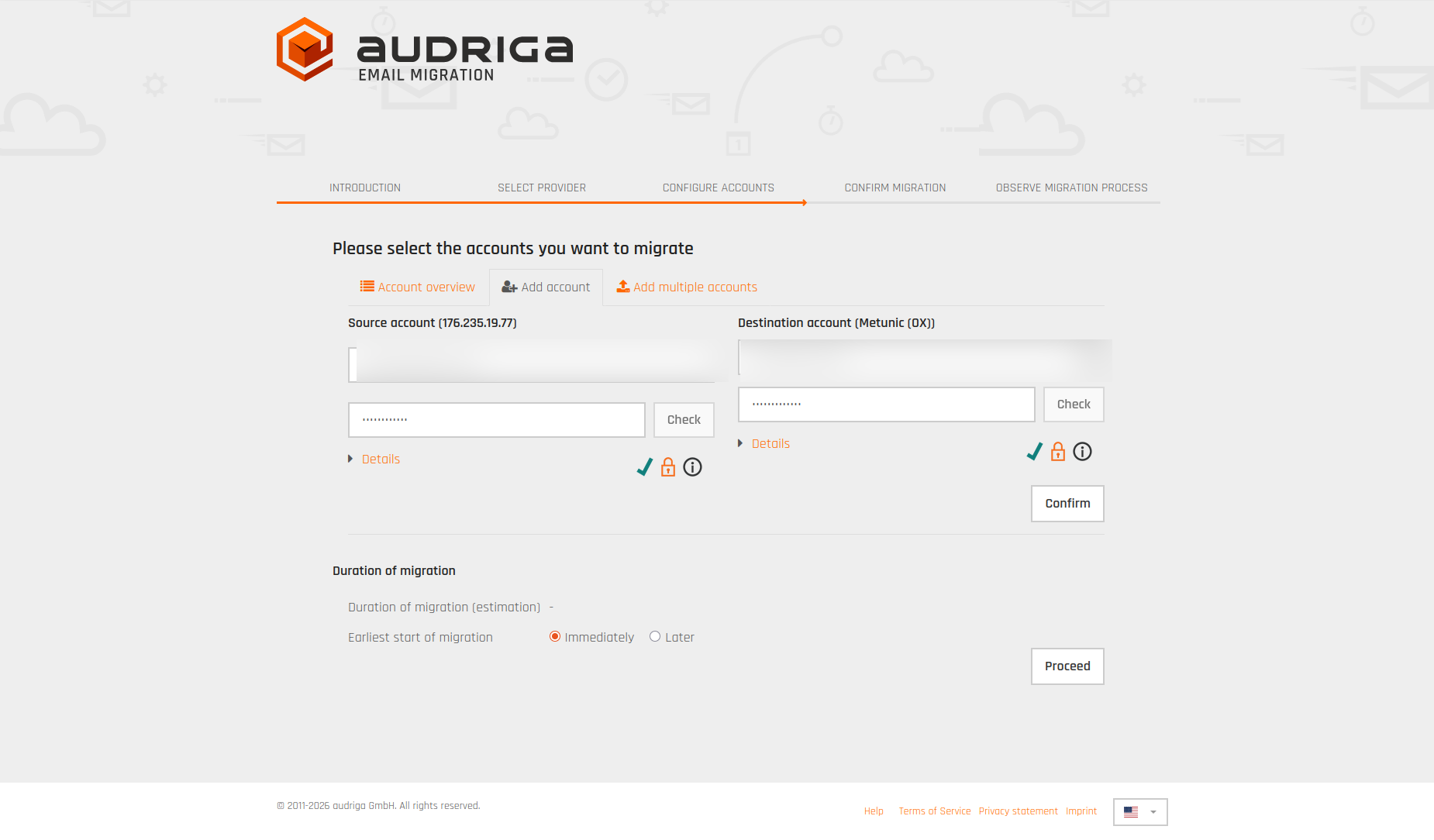
- Enter the email/password details of your source (Yaani) account and of your target (Business Email) account, and confirm with “Confirm”.
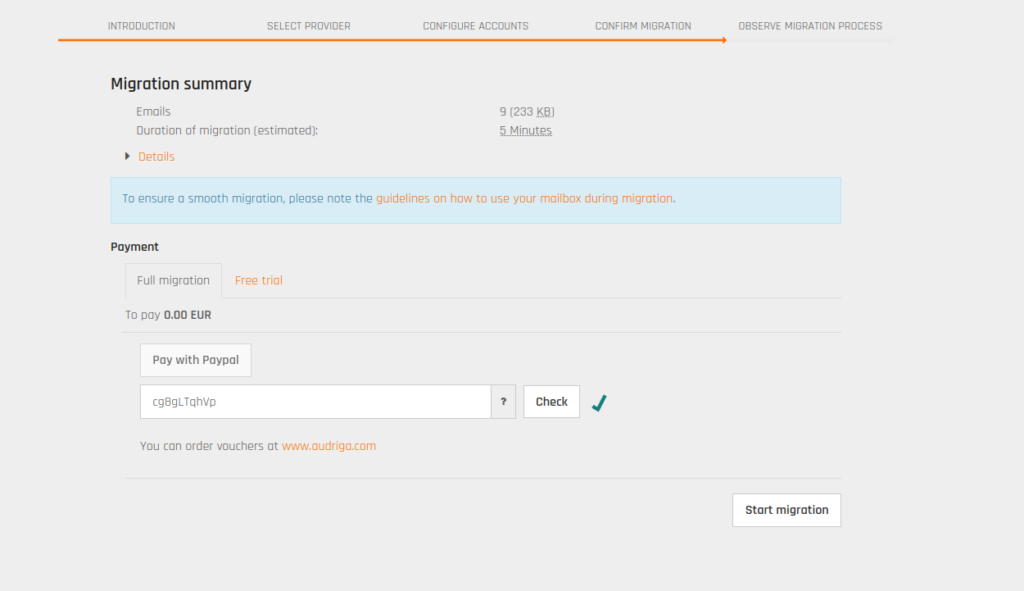
- Check the migration summary (number of emails, estimated time) and start the process with “Start migration”.
- The migration task is created (“Migration task created”). You can close this window — the process continues in the background and you are informed by email.
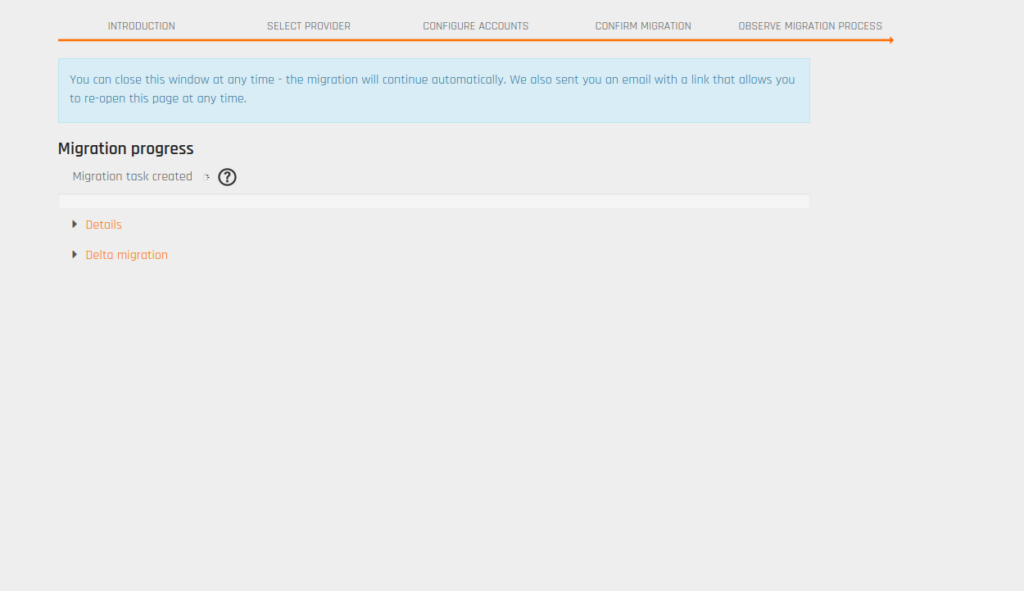
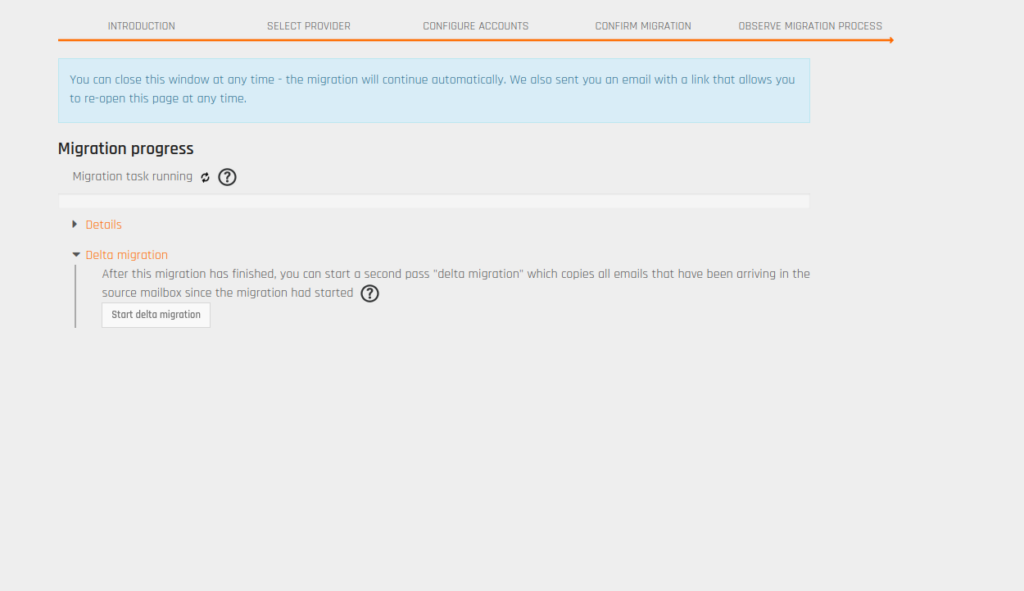
- You can follow the progress (“Migration task running”) at any time from the same page.
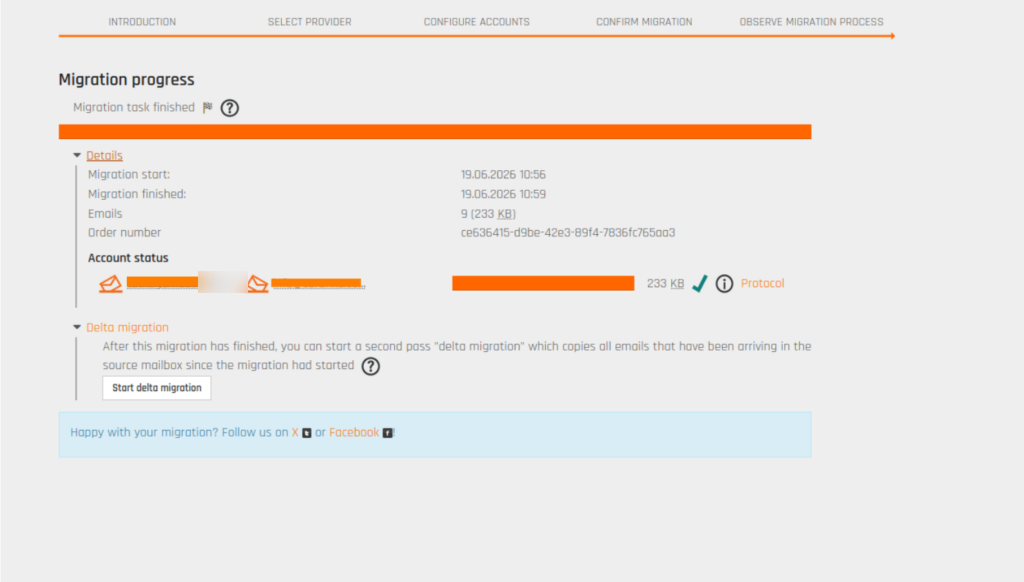
- When the migration is complete (“Migration task finished”), you will see the details. If you wish, click the “Start delta migration” button for the last emails that arrived during the migration.
The process requires no technical knowledge; if you wish, our support team can accompany you step by step.
How long do you have?
YaaniMail is closing completely on 31 October 2026. Because of the expected rush in the last weeks, we recommend completing your migration at least a few weeks before this date.
Was this article helpful?
Thank you for your feedback.
Still stuck? Our support team is here to help. Tell us your question and our experts will help you.